


Exploring the realm of automation with UiPath Task Capture unveils a world of high-ROI opportunities waiting to be discovered. Step into the realm of efficiency and innovation as we delve into the intricacies of identifying automation potential like never before.
Understanding UiPath Task Capture
UiPath Task Capture is a tool designed to help businesses streamline their automation processes by capturing and documenting tasks performed by employees. This tool enables organizations to identify high-ROI automation opportunities and optimize their workflows effectively.Purpose and Features of UiPath Task Capture
UiPath Task Capture allows users to create detailed process documentation by recording step-by-step tasks performed by employees. This documentation includes screenshots, annotations, and descriptions to provide a comprehensive overview of the process. Additionally, Task Capture enables collaboration among team members and stakeholders, facilitating the identification of automation opportunities.Documenting Automation Processes with UiPath Task Capture
By using UiPath Task Capture, organizations can easily document manual processes that are candidates for automation. This tool captures the entire process flow, making it easier to analyze and identify repetitive tasks that can be automated to increase efficiency and reduce errors. With Task Capture, businesses can create a solid foundation for implementing automation solutions.Benefits of Using UiPath Task Capture for Automation Opportunities
- Facilitates the identification of repetitive and time-consuming tasks that can be automated. - Improves collaboration among team members and stakeholders by providing a clear and detailed overview of processes. - Enables organizations to prioritize automation opportunities based on ROI and impact on business operations. - Streamlines the automation implementation process by providing a comprehensive documentation of tasks and processes.Getting Started with UiPath Task Capture
Before delving into the exciting world of UiPath Task Capture, it's essential to understand how to set it up and create a new project. Let's walk through the steps together.
Setting Up UiPath Task Capture
Setting up UiPath Task Capture is a simple process that involves a few key steps:
- Download and install UiPath Task Capture from the UiPath website.
- Launch the application and log in with your UiPath account credentials.
- Follow the on-screen instructions to complete the setup process.
Creating a New Project in UiPath Task Capture
Once you have UiPath Task Capture set up, creating a new project is the next logical step:
- Open UiPath Task Capture and click on the "New Project" button.
- Give your project a name and description to help identify its purpose.
- Choose the appropriate project settings and customization options based on your requirements.
Recording Tasks Using UiPath Task Capture
Now that your project is set up, it's time to start recording tasks using UiPath Task Capture:
- Click on the "Record" button within your project to start capturing your tasks.
- Follow the on-screen prompts to record each step of the task you want to automate.
- Provide detailed descriptions and annotations to enhance the clarity of the recorded tasks.
Utilizing UiPath Task Capture for Process Analysis
When it comes to analyzing existing processes, UiPath Task Capture can be a valuable tool to identify areas for improvement and automation. By capturing data from users as they perform tasks, Task Capture provides valuable insights into inefficiencies and bottlenecks within a process.
Identifying Inefficiencies and Bottlenecks
One of the key benefits of using UiPath Task Capture for process analysis is the ability to pinpoint inefficiencies and bottlenecks in a process. By reviewing the captured data, you can identify repetitive tasks, manual data entry errors, or areas where tasks take longer than necessary
Prioritizing Processes for Automation
After analyzing the captured data, it is essential to prioritize processes for automation based on the insights gained from Task Capture. Processes that are repetitive, time-consuming, error-prone, or involve high volumes of data are ideal candidates for automation. By focusing on these processes first, organizations can realize significant ROI and efficiency gains.
Identifying High-ROI Automation Opportunities
When it comes to identifying high-ROI automation opportunities with UiPath Task Capture, it is essential to have clear criteria in place. By evaluating various factors, organizations can pinpoint processes that are ripe for automation and promise significant returns on investment.
Criteria for Evaluating Automation Opportunities
Before diving into automation, it's crucial to consider certain criteria that can help determine the potential for high ROI. These criteria include:
- The frequency of the process: Processes that are repetitive and occur frequently are excellent candidates for automation.
- The complexity of the process: Complex processes that involve multiple steps or decision points can benefit greatly from automation.
- The potential cost savings: Processes that, when automated, can lead to substantial cost savings in terms of time, resources, and errors.
- The impact on productivity: Automation opportunities that can significantly boost productivity and efficiency within the organization.
Indicators of High-ROI Automation Potential
There are several indicators that suggest a process has high-ROI automation potential. These indicators include:
- High volume of manual work involved in the process.
- Frequent errors or bottlenecks in the current process.
- Significant time savings that can be achieved through automation.
- Clear metrics for measuring the impact of automation on cost savings and productivity.
Leveraging Task Capture Data for High-ROI Automation Targets
Once Task Capture data has been collected, organizations can leverage it to pinpoint high-ROI automation targets effectively. Best practices for this include:
- Analyzing the Task Capture data to identify repetitive and time-consuming tasks that can be automated.
- Mapping out the current process flow to understand where automation can streamline operations and reduce manual intervention.
- Collaborating with stakeholders to prioritize automation opportunities based on their potential impact on ROI.
- Utilizing Task Capture insights to create a roadmap for implementing automation initiatives that deliver the highest returns.
Conclusion
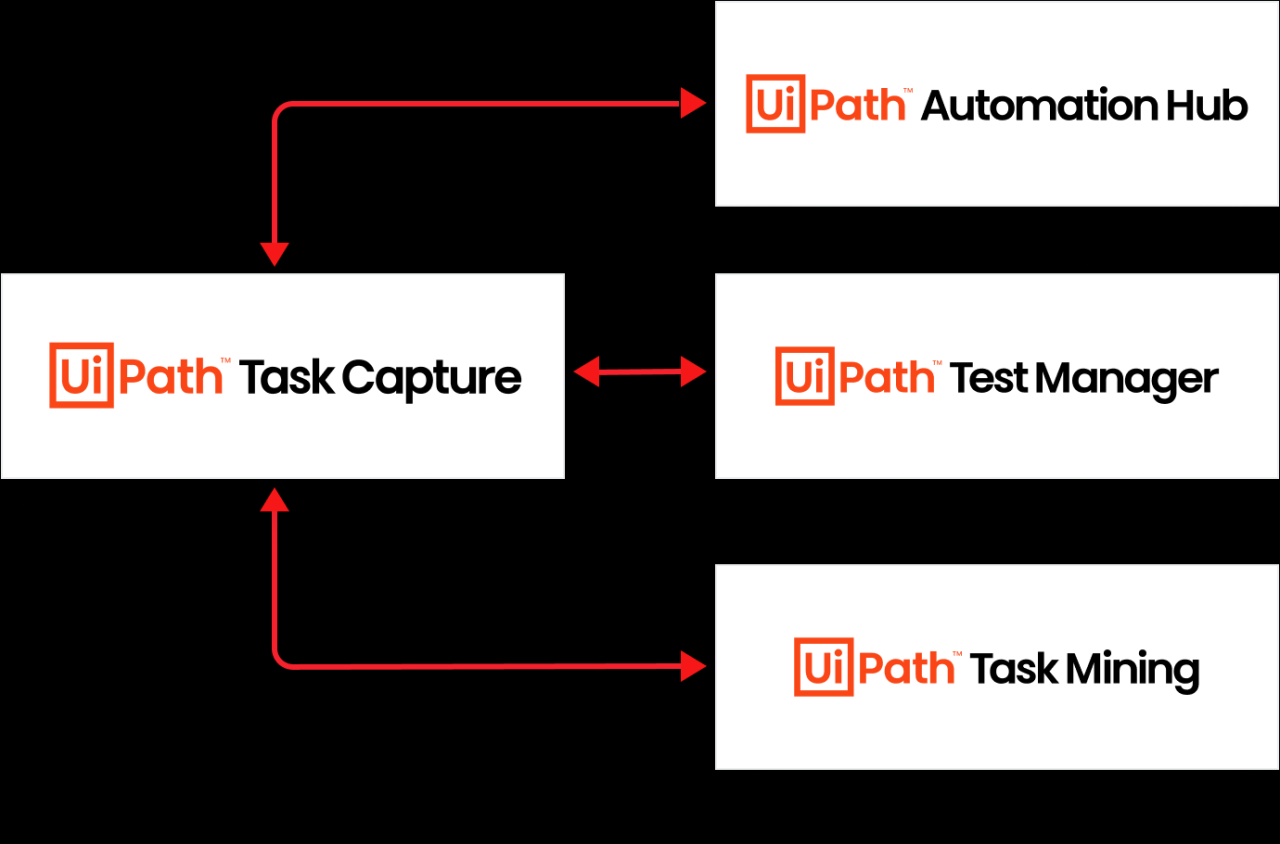
As we wrap up our journey through the realm of automation possibilities, remember that with UiPath Task Capture, the path to high-ROI automation opportunities is clearer than ever. Embrace the power of technology and automation to propel your business towards success.
Essential Questionnaire
How can UiPath Task Capture benefit my business?
UiPath Task Capture helps in documenting automation processes, identifying inefficiencies, and prioritizing processes for automation based on analysis.
What are some indicators of high-ROI automation opportunities?
High-ROI automation opportunities can be identified through criteria like repetitive tasks, time-consuming processes, and potential cost savings.