


Embark on a journey exploring the comparison between UiPath Task Capture and Manual Process Mapping in a cost-benefit analysis. The discussion promises to shed light on the advantages, disadvantages, and potential savings associated with each method.
Delve deeper into the nuances of process documentation efficiency, user experience, and adoption to gain a comprehensive understanding of these crucial elements.
Comparison of UiPath Task Capture and Manual Process Mapping
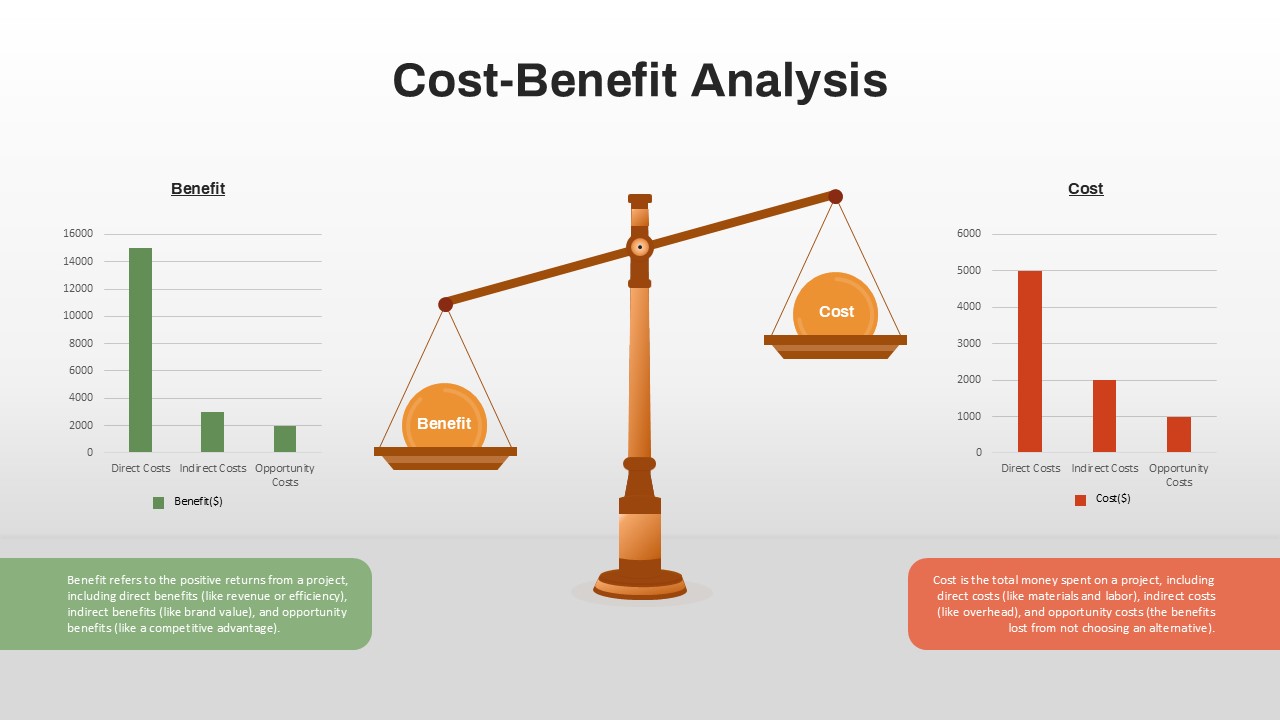
When looking at UiPath Task Capture and manual process mapping, it is important to understand the key differences between the two methods to determine which is more suitable for a given situation.
UiPath Task Capture
UiPath Task Capture is a tool that automatically captures user interactions with applications to create detailed process documentation. This method is ideal for complex processes that involve multiple applications and require precise documentation.
- Advantages:
- Efficiency: Saves time by automatically capturing user interactions.
- Accuracy: Provides detailed documentation of each step in a process.
- Automation: Can be integrated with other UiPath tools for automated process mapping.
- Disadvantages:
- Cost: Requires a subscription to UiPath platform.
- Complexity: May not be suitable for simple processes that do not require detailed documentation.
Manual Process Mapping
Manual process mapping involves documenting each step in a process using tools like flowcharts or diagrams. This method is more suitable for simple processes that do not involve multiple applications or complex interactions.
- Advantages:
- Flexibility: Can be easily customized to fit specific process requirements.
- Cost-effective: Does not require additional software or subscriptions.
- Disadvantages:
- Time-consuming: Requires manual documentation of each step in a process.
- Human error: Prone to inaccuracies or inconsistencies in documentation.
Cost Analysis of UiPath Task Capture vs. Manual Process Mapping
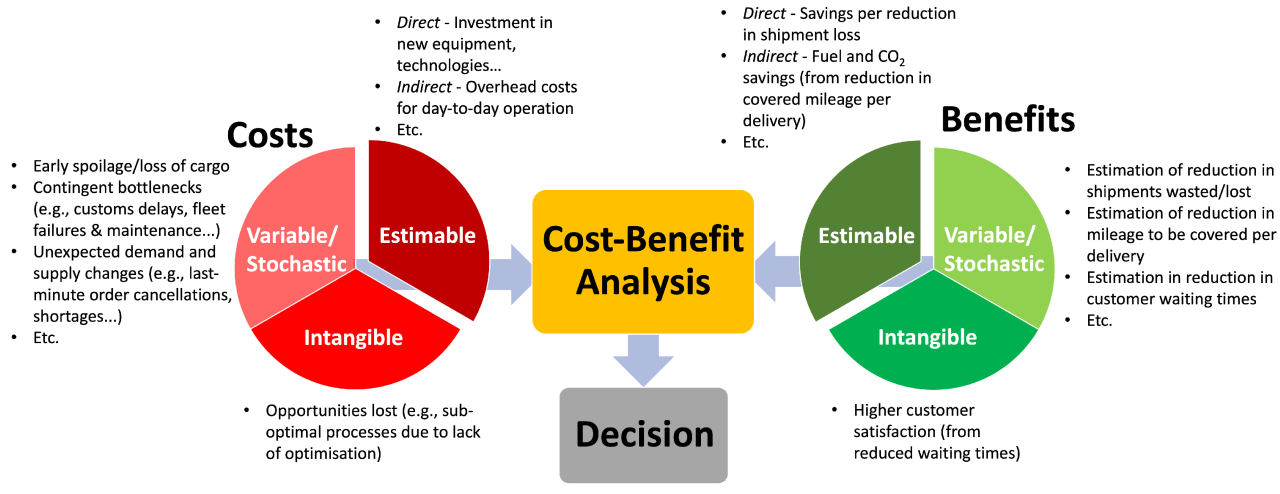 Implementing UiPath Task Capture involves certain costs that need to be considered. On the other hand, manual process mapping also incurs expenses. Let's break down the costs associated with each method and explore the potential cost savings or efficiency gains of using UiPath Task Capture compared to manual mapping.
Costs Associated with UiPath Task Capture
- Initial setup and installation costs for the UiPath Task Capture software.
- Training costs to ensure employees can effectively use the tool.
- Licensing fees for using the software over time.
- Potential costs for technical support or troubleshooting.
Expenses Involved in Manual Process Mapping
- Man-hours spent on documenting and mapping out processes manually.
- Potential costs for hiring external consultants or experts for process mapping.
- Costs associated with errors or inefficiencies in manual mapping.
- Revisions and updates to manual process maps can result in additional expenses.
Potential Cost Savings or Efficiency Gains with UiPath Task Capture
- Reduced time and resources required for process documentation compared to manual mapping.
- Minimized errors and inconsistencies in process mapping through automation.
- Improved collaboration and communication among team members during process mapping.
- Long-term cost savings by streamlining processes and increasing efficiency with UiPath Task Capture.
Efficiency Comparison between UiPath Task Capture and Manual Process Mapping
When it comes to documenting a process, time efficiency is crucial. Let's delve into how UiPath Task Capture compares to manual process mapping in terms of efficiency.
Time taken to document a process using UiPath Task Capture
UiPath Task Capture significantly reduces the time taken to document a process compared to manual methods. With its automated recording and mapping features, users can quickly capture process steps without the need for manual input.
Efficiency of capturing process steps manually versus using UiPath Task Capture
Manual process mapping can be time-consuming and prone to errors, as it requires individuals to meticulously document each step. On the other hand, UiPath Task Capture streamlines the process by automatically recording user interactions, providing a more efficient and accurate method of capturing process steps.
Automation tools like UiPath Task Capture and streamlining the process documentation process
Automation tools like UiPath Task Capture play a crucial role in streamlining the process documentation process. By automating the capture of process steps, these tools eliminate the need for manual data entry, reduce errors, and save valuable time for users. This streamlined approach not only enhances efficiency but also improves the overall quality of process documentation.
User Experience and Adoption
Using UiPath Task Capture for process documentation offers a seamless user experience that simplifies the task of documenting processes efficiently. Discussing the learning curve associated with manual process mapping reveals the time-consuming process of manually documenting each step in detail. Explaining how user adoption and training differ between UiPath Task Capture and manual process mapping highlights the ease of adoption with UiPath's intuitive interface and the need for extensive training with manual methods.User Experience with UiPath Task Capture
UiPath Task Capture provides users with a user-friendly interface that allows for easy navigation and quick process documentation. The tool's intuitive design streamlines the process of capturing steps, screenshots, and annotations, enhancing the overall user experience.Learning Curve of Manual Process Mapping
Manual process mapping involves a steep learning curve due to the meticulous nature of documenting each step in a process. This method requires a significant amount of time and effort to accurately capture all details, making it a challenging and labor-intensive task for users.User Adoption and Training
UiPath Task Capture promotes user adoption through its user-friendly interface and intuitive features, requiring minimal training for users to get started. In contrast, manual process mapping demands extensive training to ensure users can effectively document processes accurately and efficiently.Closing Notes
In conclusion, the analysis of UiPath Task Capture vs. Manual Process Mapping offers valuable insights into optimizing processes, reducing costs, and enhancing efficiency. Take this newfound knowledge to streamline your workflow and drive greater organizational success.
Frequently Asked Questions
What are the key differences between UiPath Task Capture and manual process mapping?
UiPath Task Capture automates the process documentation process, while manual mapping involves documenting processes manually.
How does the cost analysis of UiPath Task Capture compare to manual process mapping?
UiPath Task Capture may involve initial costs for implementation, but it offers potential cost savings and efficiency gains in the long run compared to manual mapping.
What is the user experience like for UiPath Task Capture compared to manual process mapping?
UiPath Task Capture provides a more automated and user-friendly experience, whereas manual mapping may have a steeper learning curve.